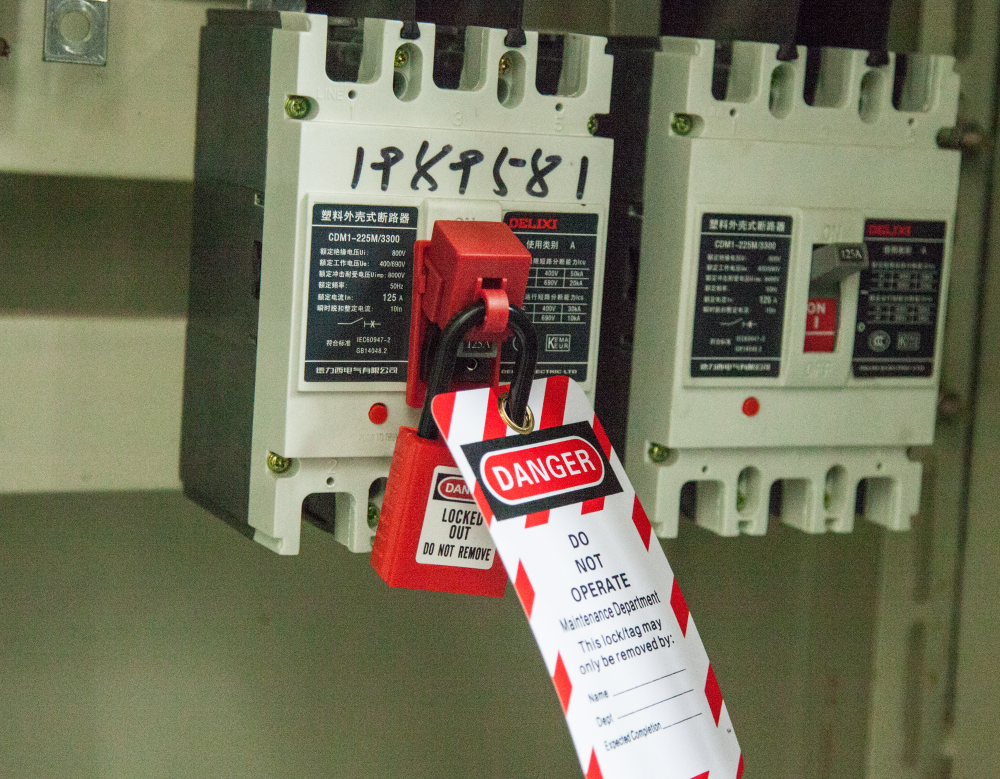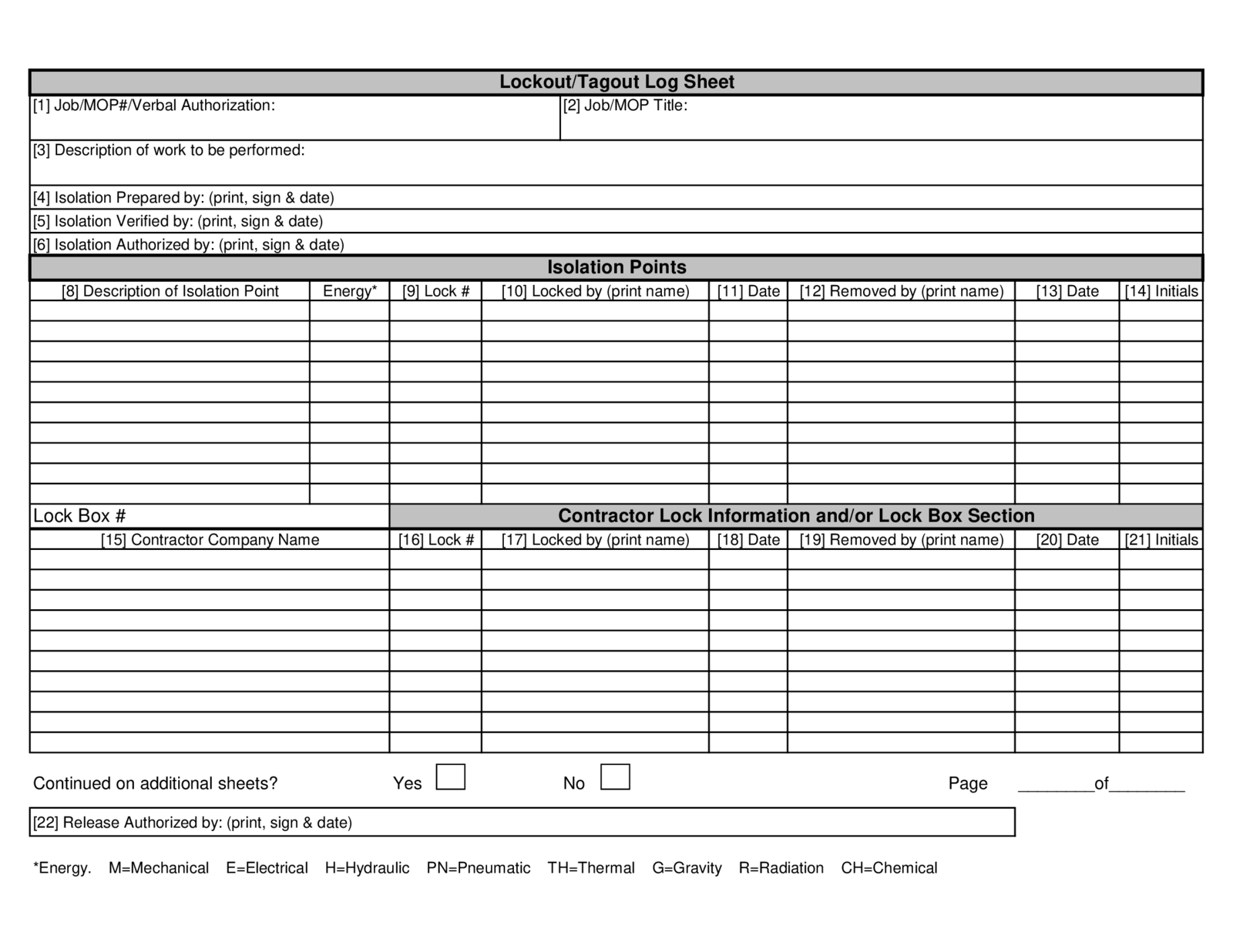
Failure to document a lockout tagout (LOTO) procedure isn’t just a paperwork oversight—it’s a safety hazard waiting to escalate. The lockout tagout log sheet is the unsung backbone of industrial energy control, turning routine maintenance into traceable, auditable, and legally defensible actions. While many organizations view it as a formality, the reality is that a well-maintained LOTO log sheet can prevent catastrophic incidents, reduce downtime, and keep operations in line with OSHA standards.
This isn’t about ticking boxes. It’s about creating a culture of accountability where every technician, supervisor, and safety officer knows who locked what, when, and why.
Why a Lockout Tagout Log Sheet Matters
The core purpose of a lockout tagout program is to isolate hazardous energy sources during servicing or maintenance. But without a log sheet, there’s no way to verify that procedures were followed correctly or to identify gaps after an incident.
A log sheet serves three critical functions:
- Accountability: It records who applied each lock and tag, creating personal responsibility.
- Traceability: In audits or accidents, it provides a timeline of control measures.
- Compliance: OSHA 1910.147 requires documentation of LOTO procedures—log sheets are a key part of that.
Consider this real-world scenario: A maintenance team services a conveyor system. One technician removes their lock early, assuming work is complete. Another worker restarts the system, unaware someone is still inside the guard zone. A documented log sheet, reviewed during shift handover, could have flagged the outstanding lock and prevented injury.
Without a log, assumptions replace verification.
What Should Be Included in a LOTO Log Sheet
A generic template won’t cut it if it doesn’t reflect your operational reality. The most effective log sheets are tailored, clear, and designed for fast, accurate completion—even in high-noise or low-light environments.
Essential Fields to Include:
| Field | Purpose |
|---|---|
| Date and Time | Timestamp of lock application and removal |
| Equipment ID | Specific machine or system being serviced |
| Authorized Employee Name | Person applying the lock/tag |
| Lock ID Number | Unique identifier for physical lock |
| Energy Source Type | Electrical, hydraulic, pneumatic, etc. |
| Type of Control (Lock vs. Tag) | Clarifies whether physical lockout or tag-only is used |
| Reason for Lockout | Maintenance, repair, cleaning, etc. |
| Supervisor Approval | Adds oversight layer |
| Clearance Verification | Confirms work is complete and area is safe |
| Removal Time & Signature | Final accountability step |
Omitting any of these fields increases risk. For example, skipping lock ID numbers makes it impossible to trace which lock belongs to whom during a shift change or emergency.
Pro Tip: Use color-coded log entries or digital timestamps to differentiate shifts. In fast-paced plants, visual cues reduce confusion.
Common Mistakes in LOTO Log Sheet Use
Even companies with strong safety programs falter in execution. These recurring errors undermine the integrity of the entire LOTO process:
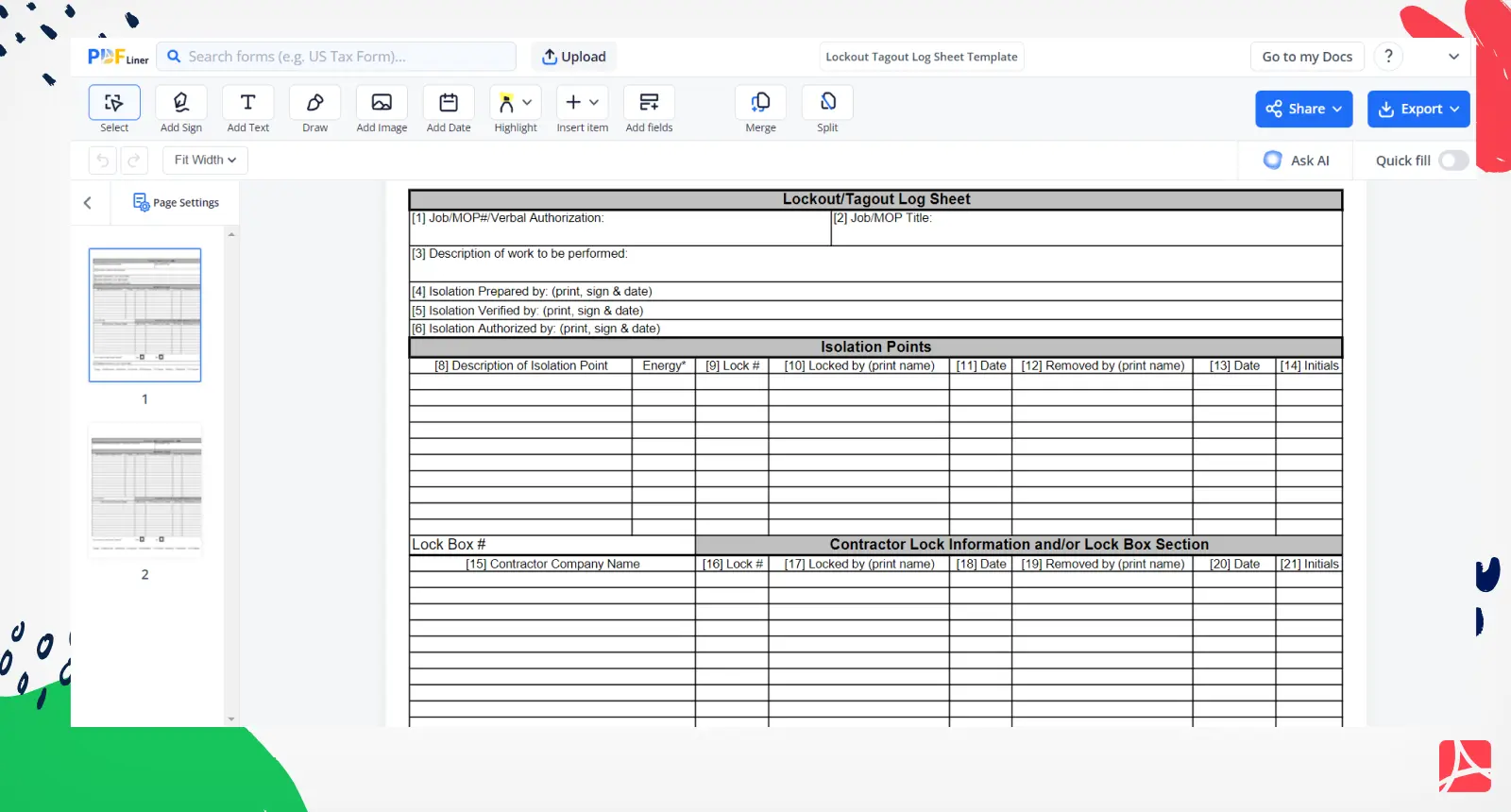
- Backdating entries: Filling out logs after the fact defeats the purpose of real-time documentation.
- Using generic equipment names: “Machine #3” isn’t specific enough. Use asset tags or serial numbers.
- Allowing blank fields: Incomplete forms erode audit credibility.
- Failure to review during shift handover: The incoming team must verify existing locks before starting work.
- Storing logs offsite or digitally without backups: If the log isn’t immediately accessible, it’s useless during an emergency.
One manufacturing facility learned this the hard way when an OSHA inspector discovered 12 unverified log entries over a two-week period. Despite having a solid LOTO policy, the gaps in documentation led to a $15,000 citation.
Accuracy isn’t optional—it’s enforced.
How to Implement an Effective Log Sheet System
Switching from ad-hoc logging to a reliable system involves more than printing a new form. It requires integration into workflow, training, and oversight.
Step-by-step implementation:
- Design the Log Sheet
- Create a version that matches your equipment and procedures. Include space for multiple locks if group lockout is common.
- Integrate with LOTO Procedures
- Attach the log sheet to the master LOTO procedure for each machine. Technicians should reference both simultaneously.
- Train Authorized and Affected Employees
- Training must cover how to fill out the log, the meaning of each field, and consequences of falsification.
- Centralize Storage
- Keep physical logs in a labeled binder at the equipment zone or use a digital platform with access control.
- Audit Monthly
- Supervisors should review 10–20% of logs monthly for completeness and accuracy.
- Update for Changes
- If equipment is decommissioned or modified, update log templates and retrain staff.
A food processing plant reduced LOTO-related near-misses by 70% within six months of implementing a standardized log system with supervisor sign-off requirements.
Physical vs. Digital Lockout Tagout Log Sheets
Paper logs are familiar, but digital systems are gaining ground—especially in facilities with high maintenance volume or distributed teams.
| Factor | Paper Log Sheets | Digital Log Sheets |
|---|---|---|
| Accessibility | On-site only | Accessible via mobile devices |
| Real-Time Updates | No | Yes, with cloud sync |
| Audit Trail | Manual verification | Automatic timestamps and user IDs |
| Risk of Loss/Damage | High (fire, water, wear) | Low (with backups) |
| Integration | None | Can link with CMMS or EAM systems |
| Training Curve | Low | Moderate |
Digital logs shine in environments using computerized maintenance management systems (CMMS). They allow work orders to trigger automatic log creation, reduce manual entry errors, and generate compliance reports instantly.
However, paper remains viable for small operations or where connectivity is unreliable. The key is consistency—whichever format you choose, use it uniformly.
Reality Check: Digital isn’t always better. If your technicians spend more time navigating apps than working, you’ve optimized the wrong thing.
Top 5 LOTO Log Sheet Templates and Tools
While you can build your own, pre-designed tools save time and ensure compliance alignment. Here are five trusted options:
- EHS Insight – LOTO Log Template
- Cloud-based, customizable, integrates with full EHS suite. Ideal for mid to large enterprises. Pros: Automated reminders, audit-ready reports Cons: Subscription cost, steeper learning curve
- Creative Safety Supply – Free Printable LOTO Log
- Downloadable PDF with standard OSHA-aligned fields. Pros: No cost, easy to print and post Cons: Static form, no tracking features

- Lockout Tagout Solutions (LOTO-SOL) Pro Software
- Desktop and mobile app with barcode scanning for lock IDs. Pros: Tracks lock inventory, generates compliance summaries Cons: Windows-only, requires initial setup
- SafetyCulture (iAuditor)
- Mobile app that turns smartphones into LOTO log devices. Pros: Real-time sync, photo uploads, offline mode Cons: Requires device access for all technicians
- Custom Internal Template (Excel/Google Sheets)
- Build your own with dropdowns, formulas, and access controls. Pros: Full customization, low cost Cons: Manual enforcement, prone to version drift
Choose based on your team size, tech readiness, and compliance needs. A small workshop may thrive on printed logs, while a plant with 200+ machines benefits from digital automation.
Real-World Use Cases
Case 1: Chemical Plant Turnaround During a scheduled shutdown, 47 technicians performed maintenance across 14 reactors. A centralized digital LOTO log allowed supervisors to monitor lock status in real time. One lock remained active past completion—flagged instantly, preventing a startup incident.
Case 2: Automotive Assembly Line A night-shift technician tagged a robotic arm for repair but failed to log it. Day-shift workers restarted the system, damaging the robot. Post-incident review revealed no log entry. The facility now mandates log completion before any lock application.
Case 3: Food Processing Facility Using a wall-mounted log binder at each production line, the site reduced unauthorized restarts by 90%. Supervisors review logs during morning safety huddles, reinforcing accountability.
These aren’t outliers—they reflect the difference between procedural compliance and operational integrity.
Final Thoughts: Make the Log Sheet Work for You
A lockout tagout log sheet shouldn’t be an afterthought buried in a safety folder. It’s a living document that protects people, supports compliance, and strengthens operational discipline.
The best logs are simple to use, hard to ignore, and easy to audit. Whether paper or digital, the goal is the same: create a transparent, verifiable trail of control that leaves no room for assumption.
Start by auditing your current logging process. Are entries complete? Are logs reviewed? Can anyone access them during a shift change? Fix the gaps now—before OSHA or an incident forces the issue.
Update your templates, retrain your team, and treat the log sheet not as paperwork, but as protection.
FAQs
What is a lockout tagout log sheet used for? It documents who locked out equipment, when, and why, ensuring accountability and compliance during maintenance.
Is a log sheet required by OSHA? While OSHA 1910.147 doesn’t mandate a log sheet specifically, it requires documented procedures and employee training—log sheets are a practical way to meet those requirements.
Who fills out the LOTO log sheet? Authorized employees performing the lockout are responsible for completing their entries.
Can multiple people use the same log sheet? Yes, especially during group lockout. Each person applies their lock and logs their details on the same sheet.
Should log sheets be kept permanently? Retention varies, but 1–3 years is typical for audit and incident investigation purposes.
Can a digital app replace a paper log sheet? Yes, if it ensures the same level of accountability, accessibility, and record integrity.
What happens if a log sheet is incomplete? It weakens compliance, increases risk during audits, and may contribute to safety incidents due to miscommunication.
FAQ
What should you look for in Lockout Tagout Log Sheet Best Practices and Uses? Focus on relevance, practical value, and how well the solution matches real user intent.
Is Lockout Tagout Log Sheet Best Practices and Uses suitable for beginners? That depends on the workflow, but a clear step-by-step approach usually makes it easier to start.
How do you compare options around Lockout Tagout Log Sheet Best Practices and Uses? Compare features, trust signals, limitations, pricing, and ease of implementation.
What mistakes should you avoid? Avoid generic choices, weak validation, and decisions based only on marketing claims.
What is the next best step? Shortlist the most relevant options, validate them quickly, and refine from real-world results.